MLOArchitect 1.4: A Video Manual, the Map Page and Interiors That Look Built
MLOArchitect 1.4 ships a 31-minute video manual in every copy, folds MapArchitect in as the Map page, and adds the 1.4 look, exterior styles, porches and walk-in cuts for FiveM MLOs.
MLOArchitect 1.4 is out, and the headline isn't a feature. It's a video. Every copy now ships with a 31-minute manual in a folder called Start Here, because, and I say this with love, nobody reads the README. I checked. It had been opened once, by me, looking for my own Discord link.
So the manual is now something you watch: every button, every key and every tick box in MLOArchitect, filmed in the real app, with captions and chapters. Then there's everything 1.4 actually adds, which is a lot.
What MLOArchitect is, if you're new
MLOArchitect is a FiveM MLO builder for GTA V. You draw rooms on a floor plan, click walls for doors and windows, furnish them with the game's own props, and press Export. It writes a streamable FiveM resource through CodeWalker, then reads the compiled files back and checks them: portals, collision, room IDs, props, lights, sound. If something would break in game, you find out in the app, not stood in a void on your server. No Blender required.
The 1.4 look
1.3 made interiors feel lived in. 1.4 makes them look expensive. Rooms use the game's own lighting moods, daylight only gets in where a room has a window or an exit door, and the downlights are spaced the way Rockstar lights its own interiors. Pick a preset, Modern warm, Gallery, Industrial or Classic, and one click sets the mood, the lights, the floors and walls, the skirting, the coves and the LED strips under the stair treads.
Under Details, every finishing touch is a tick box: skirting, coves, the shadow gap that makes architects nod at each other, soft contact shadows so furniture doesn't float, LED strips, and balustrades in bars, glass or solid.
Outsides that look built
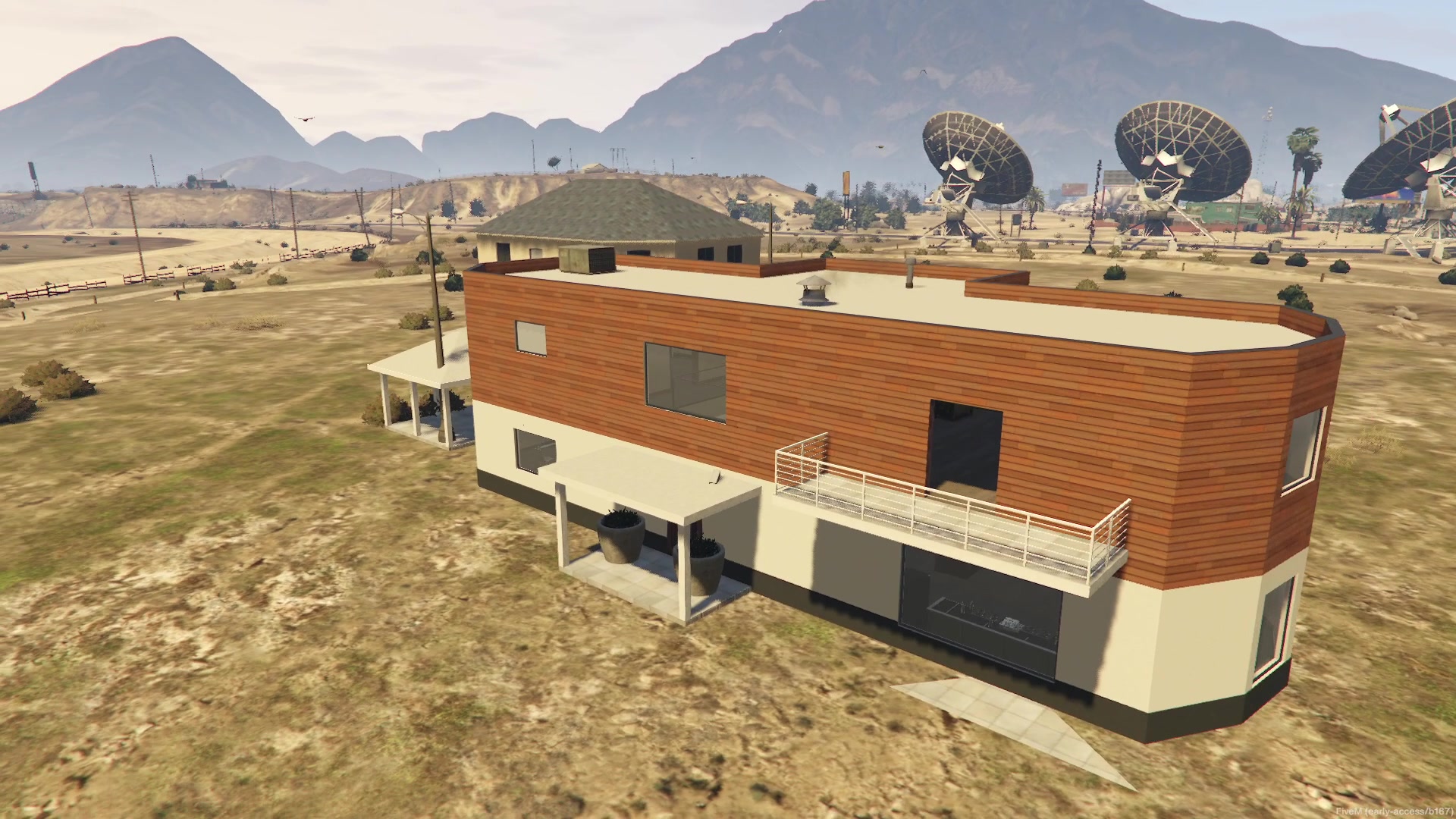
Exteriors got the biggest glow-up. There are six styles: Spanish stucco, mid-century, modern render, shopfront, industrial and brick townhouse. One click sets the walls, roof, window frames with glazing bars, gutters, canopies, paving, and a bit of grime so the place looks lived in rather than delivered this morning in bubble wrap. It also dresses the outside with the game's own lamps, planters and bins, placed only where they fit.
New in 1.4 too: porches, balconies and pavilions. A porch can carry a balcony on top as a walkable deck, a balcony can wrap round a corner, and a pavilion stands on its own with whatever roof you like.
Walk-in: interiors inside real GTA buildings
This is the bit most FiveM servers actually want. MLOArchitect loads the real building from your own copy of GTA as a grey ghost, so you draw your rooms inside its walls instead of guessing from screenshots. Square up to the building, find its doorways, align your exit door, and if the doors are painted on or the glass is modelled into the wall, MLOArchitect cuts the doorway out of the building's model and collision for you.
The Map page: MapArchitect is now part of MLOArchitect
MLOArchitect and MapArchitect are now one app. Top left, there's Interiors and Map. The Map page opens the real GTA map from your own game, textured, and lets you change it: cut buildings open, move, delete or add props, mark spawn points, zones, doors and parking for your scripts, and send ambient peds where you want them with scenario points chained into routes. Place your interiors on the map, and the whole lot exports as one FiveM resource. Either product's licence key unlocks everything.
Building with AI, and a helper called Clappy
MLOArchitect has an MCP server with 108 tools: 67 for interiors and 41 for the map. Claude, or any AI agent that speaks MCP, can build rooms, stairs, furniture, exteriors, walk-ins and map edits, and you watch every step land live in the window while a feed says what it did. My job is now watching, pointing and taking the credit.
There's also Clappy, an optional helper you install from Setup. He runs offline on your own graphics card, answers questions, points at the button he's talking about, and makes edits when you ask, each one a single undo. He's labelled Experimental, because he sometimes gets things wrong. So do I, and I've had a lot more updates.
Help everywhere
Every button and field has a tooltip with its key. F1 opens a searchable Help panel, there's a first-launch tour, and the app speaks English, Spanish, Portuguese, French and German.
How the manual got made
The manual was built the way I build everything now: with a lot of automation and me checking it. The narration is my cloned voice running locally, and a headless browser drove the real MLOArchitect window line by line, with a visible cursor and key captions so you can follow along. Then it was all put together in my own video engine with the captions as a separate file. It's real footage of the shipping app, not mock-ups. It does say "peeds" instead of peds once near the end. I've decided that's character.
Get it
MLOArchitect is £59.99 for Personal (your own servers) or £129.99 for Commercial (sell the MLOs you make). Updates are free, and 1.4 is on the download page now for everyone who already owns it.
Get MLOArchitect on Gumroad or read more at mloarchitect.com.
Got questions? Hit me up on Discord.
More posts.
Cfx Publishes Patch Notes for Enhanced — I Was Diffing Binaries Instead
Every FiveM Enhanced update gets a post in the citizenfx/rfc Discussions. I'd read one of ten. Reading the rest found five "permanent platform facts" in my notes that upstream had already fixed.
The Enhanced Asset-Version Wall Is Narrower Than You Think
"Asset version mismatch" on FiveM Enhanced only hits textures, models and VFX. Your .ymap, .ybn, .ytyp and meta files stream fine. The version fingerprint, read off paired Legacy and gen9 files, and how to vet a pack offline.
Your FiveM Enhanced NUI Is Running Chromium 103 (And It Fails Silently)
Enhanced pins NUI at CEF 103 from June 2022. :has(), CSS nesting, color-mix() and .toSorted() don't error in game — they're silently discarded. How I found out, and the probe that proves it.