AJVV Studio: VibeVoice API Expansion
I got tired of picking up a microphone every time I needed to make content. So I built a production-ready TTS system with my cloned voice, WebSocket streaming, and studio-quality output.
- Project Type: Personal / Client-Ready
- Timeline: 2 months
- Category: AI / Full-Stack
- Year: 2025
The Challenge
I create a lot of content—videos, tutorials, website voiceovers. And I hate having to pick up a microphone every single time I want to make a personal statement or video. It breaks my flow, requires a quiet environment, and adds hours to what should be quick tasks.
When Microsoft released VibeVoice—a frontier conversational TTS model—I saw an opportunity. The model was impressive, but it was research code. No production API, no proper interface, just Python scripts and a basic Gradio demo.
I needed something I could actually use: an API I could call from anywhere, a proper UI for longer scripts, voice cloning support, and output quality good enough for real content.
The Solution
I forked the VibeVoice repo and built what I actually needed: AJVV Studio—a complete TTS production system with a proper API layer and web interface.
The API
The API works like any modern API—fast responses, clean endpoints—but with parameters specific to VibeVoice's capabilities:
- Voice cloning mid-inference — Import new voices on the fly without restarting
- Predefined voice library — Pick from stored voices including my own clone
- Multi-speaker conversations — Up to 4 different voices in a single API call
- Long-form generation — Full character consistency across extended content
- WebSocket streaming — Real-time audio generation with 5ms latency
- SSML support — Fine control over emphasis, pauses, and pacing
Tech Stack
- Backend: Python, FastAPI, Flask
- ML: PyTorch, VibeVoice 1.5B/7B models
- Streaming: WebSocket real-time audio
- Audio: 48kHz post-processing pipeline
- Frontend: Custom web studio interface
The 48k Mastering Pipeline
One thing that bugged me about most TTS systems: the output sounds like TTS. Thin, obviously synthetic. I added a post-processing filter that upsamples to 48kHz and applies studio-quality mastering. The result is audio you can drop straight into a video timeline or website without additional processing.
The Interface
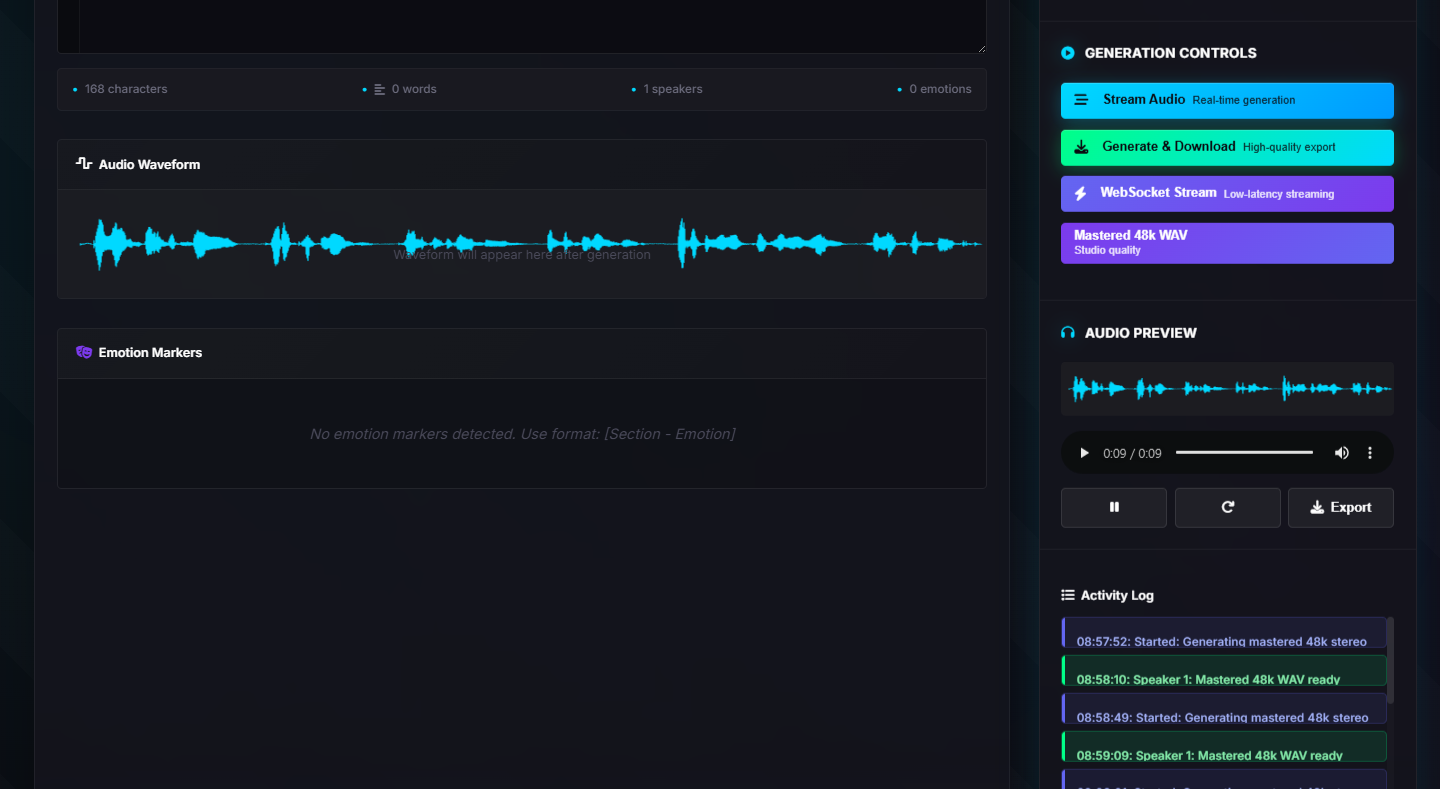
The web app—AJVV Studio—gives me everything I need in one place:
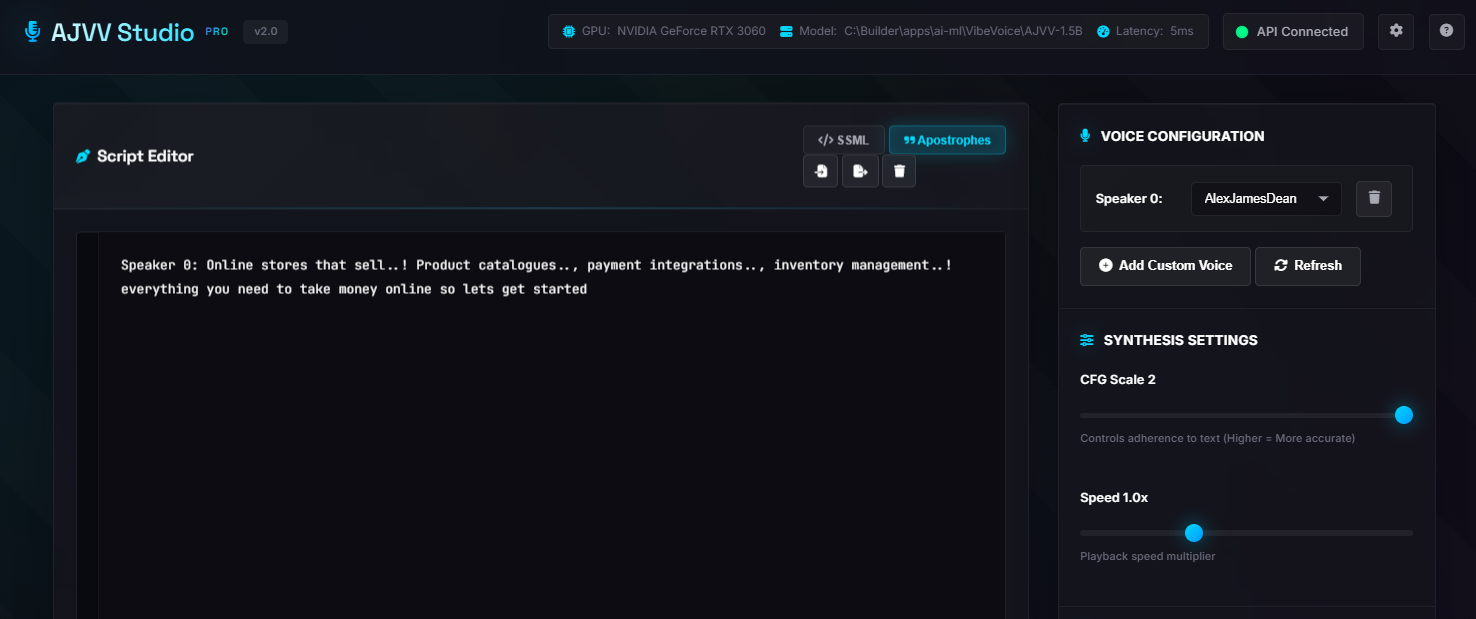
- Script Editor with SSML toggle and apostrophe handling
- Voice Configuration panel with speaker selection and custom voice import
- Synthesis Settings for CFG scale and playback speed
- Multiple generation modes: Stream Audio, Generate & Download, WebSocket Stream, or Mastered 48k WAV
- Real-time waveform visualization during generation
- Emotion markers detection for fine-tuning delivery
- Activity log tracking all generation events
The header shows live system status—GPU in use, model loaded, API connection, and current latency. When I'm generating audio for a video, I can see exactly what's happening.
The Results
This is now my primary tool for voice content. Website accessibility features, video narration, content previews—all generated from text without touching a microphone. In fact, the voice playback buttons you see across this website use audio generated with AJVV Studio.
- 5ms — API latency
- 4 — Speakers per call
- 48kHz — Mastered output
The project is open source on GitHub with 5 stars and growing. I use it daily, and it's available to clients who need custom TTS solutions.
Lessons Learned
Building on top of cutting-edge research models is a different beast than typical development. The VibeVoice model is powerful but has quirks—Chinese text needs English punctuation, the 7B model is more stable than 1.5B for certain tasks, and background music sometimes appears spontaneously (which Microsoft considers a feature, not a bug).
The two-month timeline included some ups and downs—model updates from Microsoft, WebSocket edge cases, audio pipeline tuning. But the result is something I use every day, which is the whole point.
Sometimes you build tools for clients. Sometimes you build tools for yourself that clients end up wanting too. This was the latter.
Related Services
This project is part of my broader AI Solutions offering. I build custom AI pipelines, automation workflows, and intelligent systems for clients across the UK. Whether you need TTS integration, RAG document systems, or something completely bespoke—check out my pricing or get in touch.
See how I approached a different kind of challenge in my Netflix Dark Crystal case study—same "build fast, make it work" philosophy, completely different tech stack.
Need Custom AI Voice Solutions?
TTS integration, voice cloning, audio pipelines—explore my AI services or let's talk.
Start a Conversation